
How to Download Club Qigong Courses
Any member can download any course, flow or meditation to keep. You only need to be a member for one month: order one month here (it never renews).
🎬 Videos 🎧 Sound files 📂 Find your downloads
🎬 Download a Course Video
Our videos are hosted on Vimeo, so you save them from the video’s Vimeo page.
Step 1: Open the video on Vimeo
There are two ways to get there:
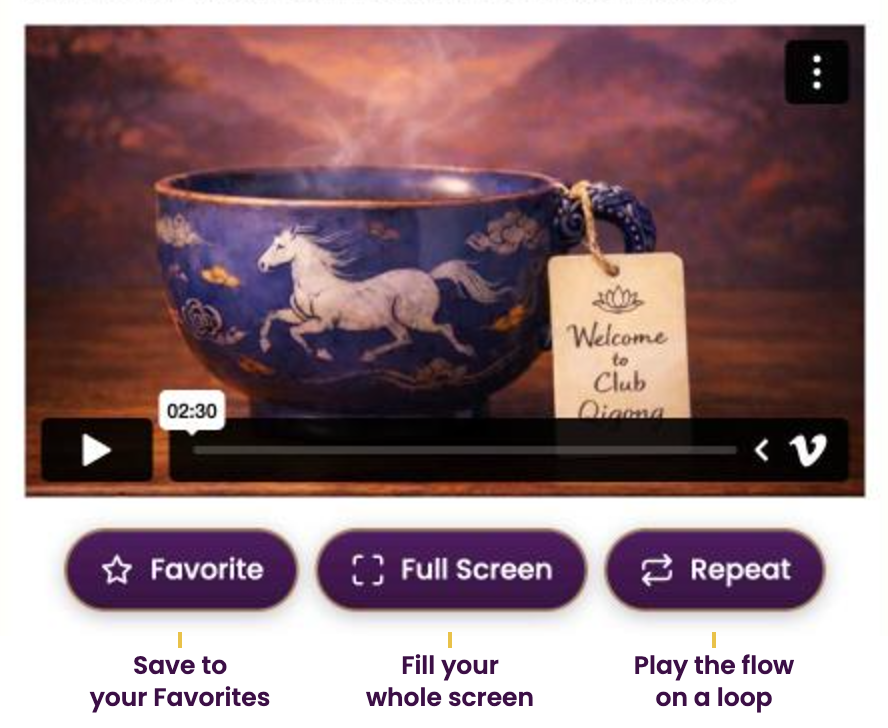
Before you press play: tap the V (the Vimeo logo) in the lower right of the player bar.
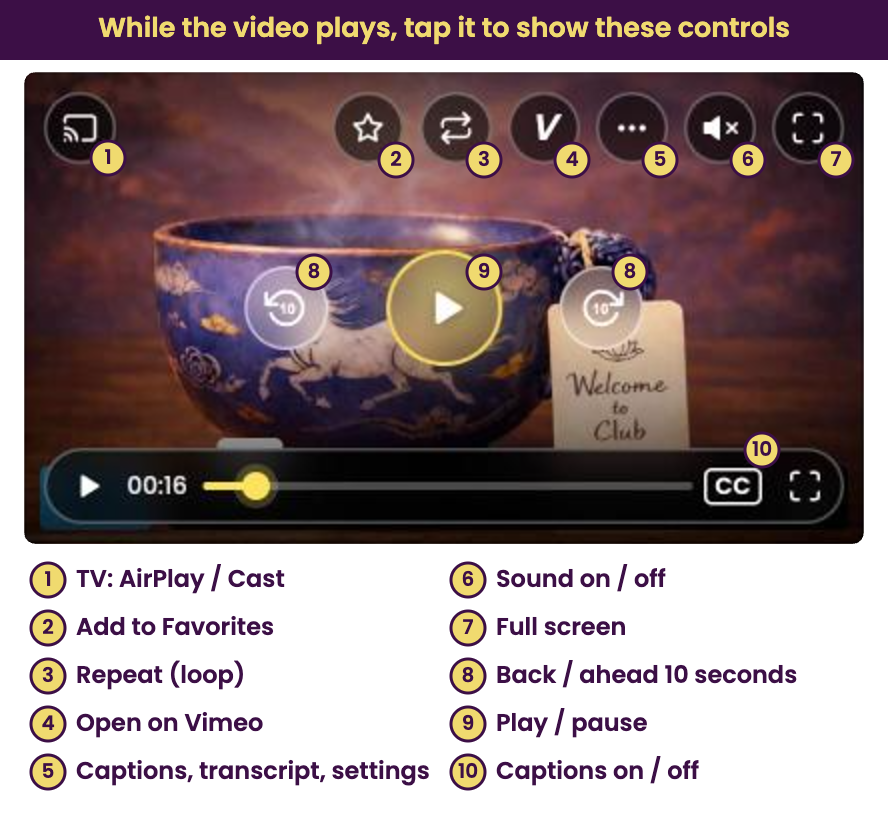
While the video is playing: tap the video to bring up the Club Qigong controls, then tap the V button (#4, Open on Vimeo).
📱 Phone or tablet: get the free Vimeo app first (search “Vimeo” in the App Store or Google Play). It makes saving easiest.
💻 Mac or PC: your web browser works fine (Chrome, Safari, Edge or Firefox).
📲 Android users: if tapping the V does nothing, log in here using the Chrome browser, go back to the video and try again.
Step 2: Tap Save
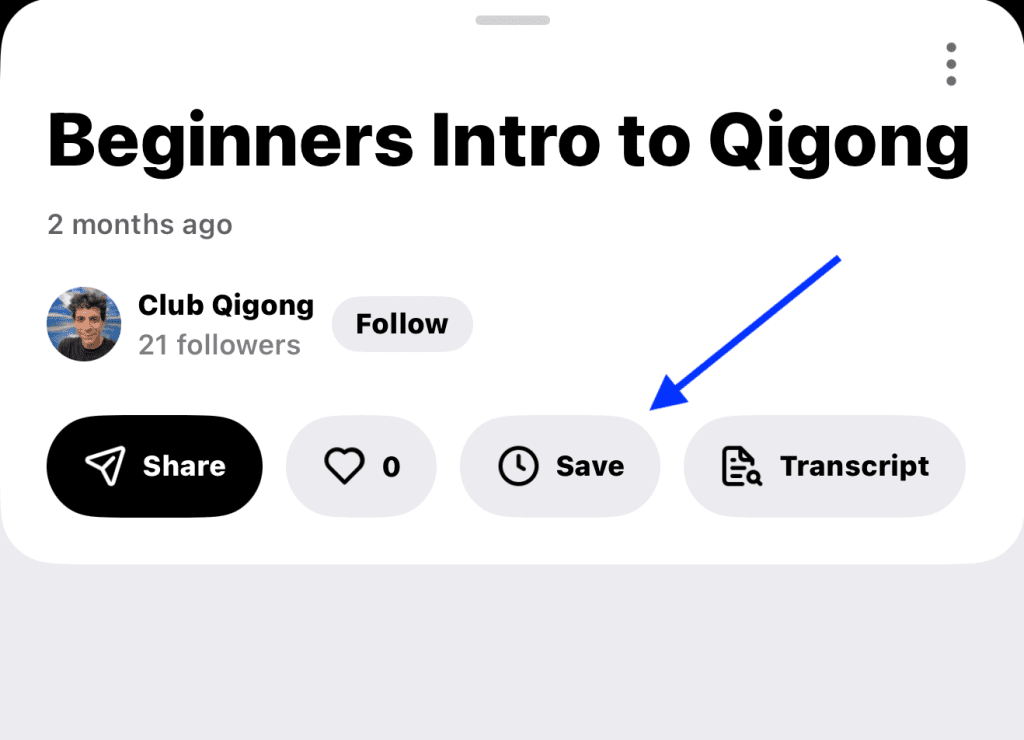
On the Vimeo page, tap the Save button under the video title (on Mac/PC it’s the Share icon).
Step 3: Choose where to save it
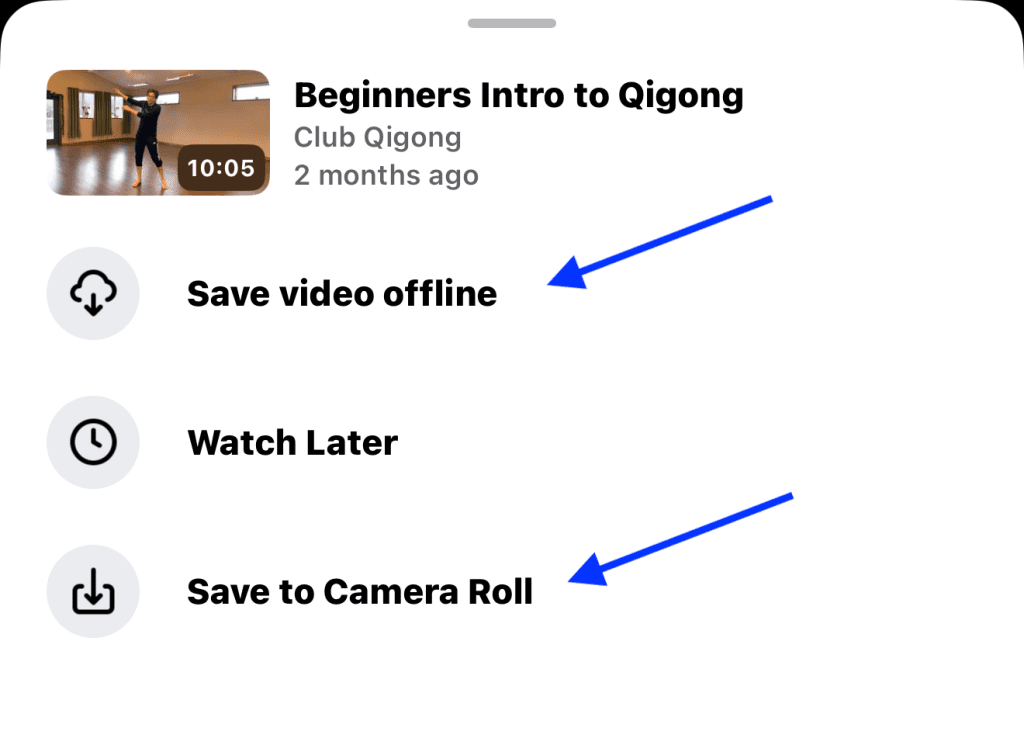
Pick Save to Camera Roll, or Save video offline to watch it in the Vimeo app (tap your profile in the upper right → Offline).
🎧 Download a Sound File (meditations & music)
On any meditation or music track, tap the download arrow next to the play button.
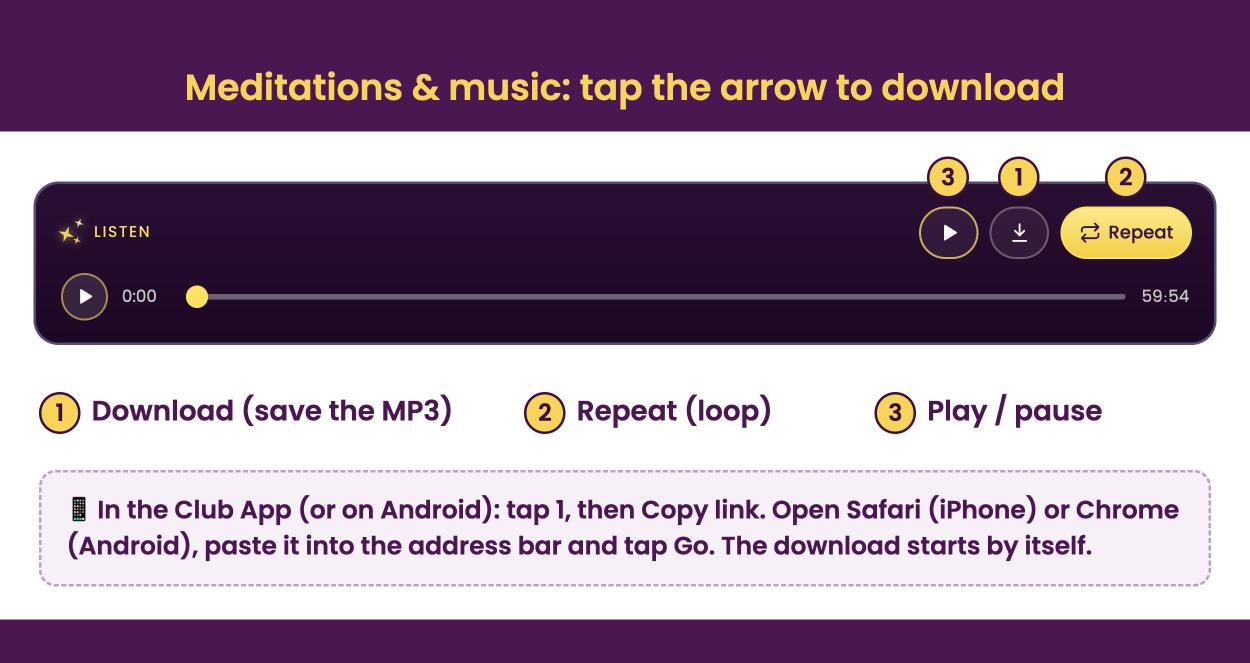
On a computer or iPhone browser: the MP3 saves straight to your device.
In the Club App or on Android: a box pops up. Tap Copy link, then open Safari (iPhone) or Chrome (Android), paste it into the address bar and tap Go. The download starts by itself (on iPhone, tap Download if Safari asks). Here’s where to find it.
🎬 Prefer to read along, or is the audio acting up? Under each meditation’s player, tap Video (Captions over a Still Image). It’s the same meditation as a video with the words shown on screen, so you can read along as you listen. It also plays through Vimeo’s video player, which makes it a good backup if the audio player gives you trouble (especially in the App or on Android). You can save that video to keep using the video steps above.
📂 Find Your Downloaded Files
iPhone: downloads are saved in the Files app. Open Files, tap Browse, then Downloads. Depending on your settings, look under “On My iPhone” or “iCloud Drive.” Videos saved to your Camera Roll are in the Photos app.
Android: files downloaded with Chrome or Firefox go to the Download folder. Open the Files app (or File Manager / My Files) and go to Download.
Note: on both, you can change the default download location in your browser’s settings, which may change where files are saved.
⭐️ You only need to be a member for one month to download any course you like! 🙌 Of course, by remaining a member you get access to life-changing New Releases, all while making the world a brighter place. 🌅
Questions? See our FAQ or let us know. 🙏
Access Your Free Qigong Flow & Meditation with Joe by Joining Our Newsletter