
How to Download Club Qigong Courses
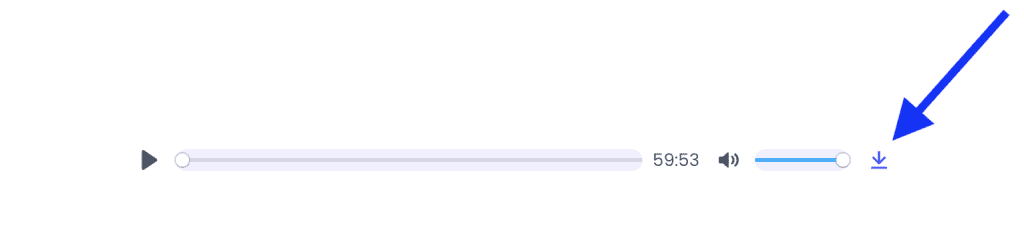
Any Member can download any course to keep by simply signing up for 1 month. Simply click a course’s Vimeo link and then the “down” arrow. For sound files (like the Universal Mind Sleep Meditation) click the small “down” arrow to the right of the MP3.
For Video files
(or see below for Sound files)
Step 1: Access Vimeo
📱 Mobile and Tablet: Download the free Vimeo App
On iPhone or Android, open the App Store or Google Play
and search for “Vimeo” to download the official app.
💻 Mac / 🖥️ PC: Use Your Browser
On Mac or Windows, use your web browser (such as
Chrome, Safari, Edge, or Firefox).
Mac users: Vimeo also offers an official macOS app for managing and watching videos —
search “Vimeo” in the Mac App Store.
Step 2: Go to the Video in Vimeo
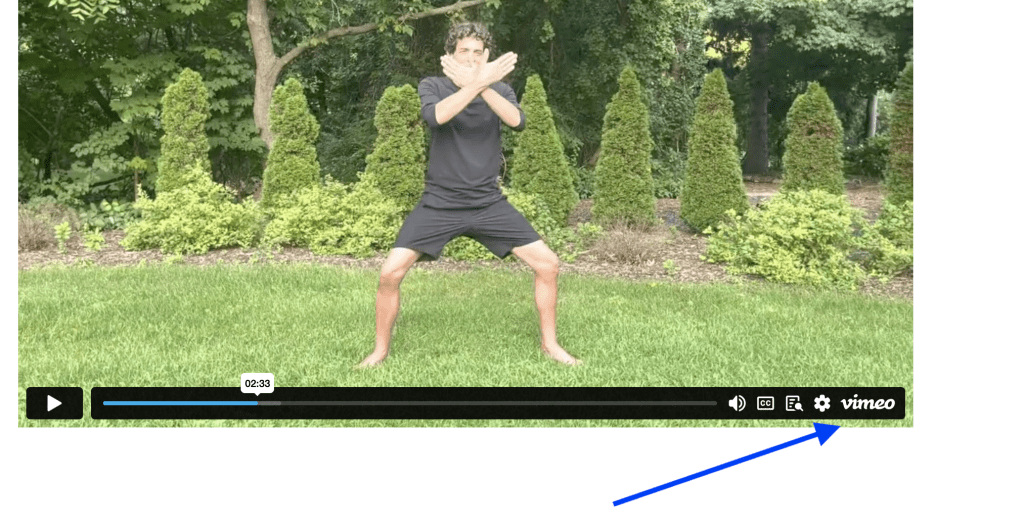
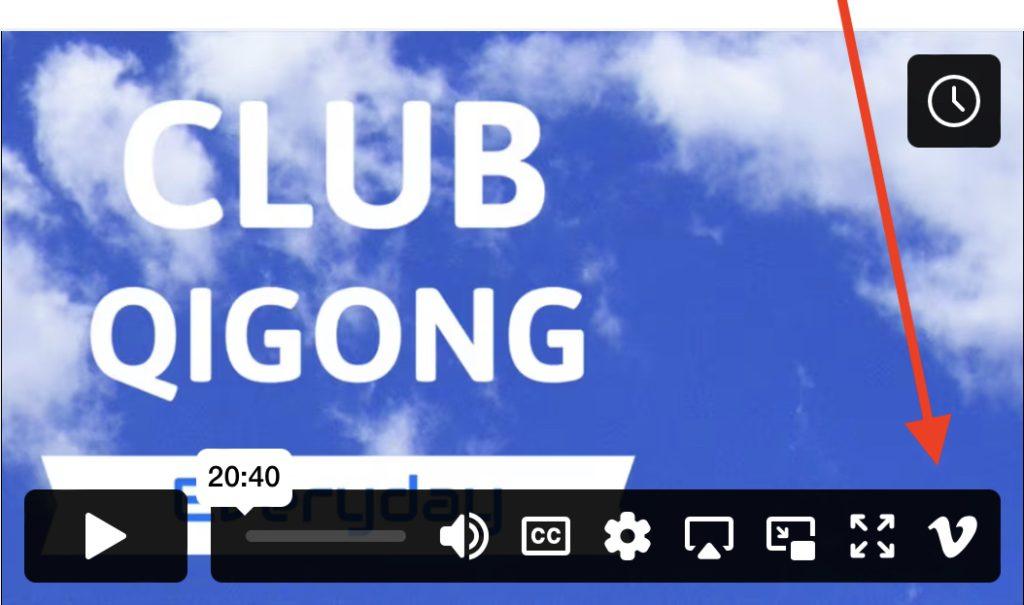
Note, on a phone the Vimeo is just a “V” like this:
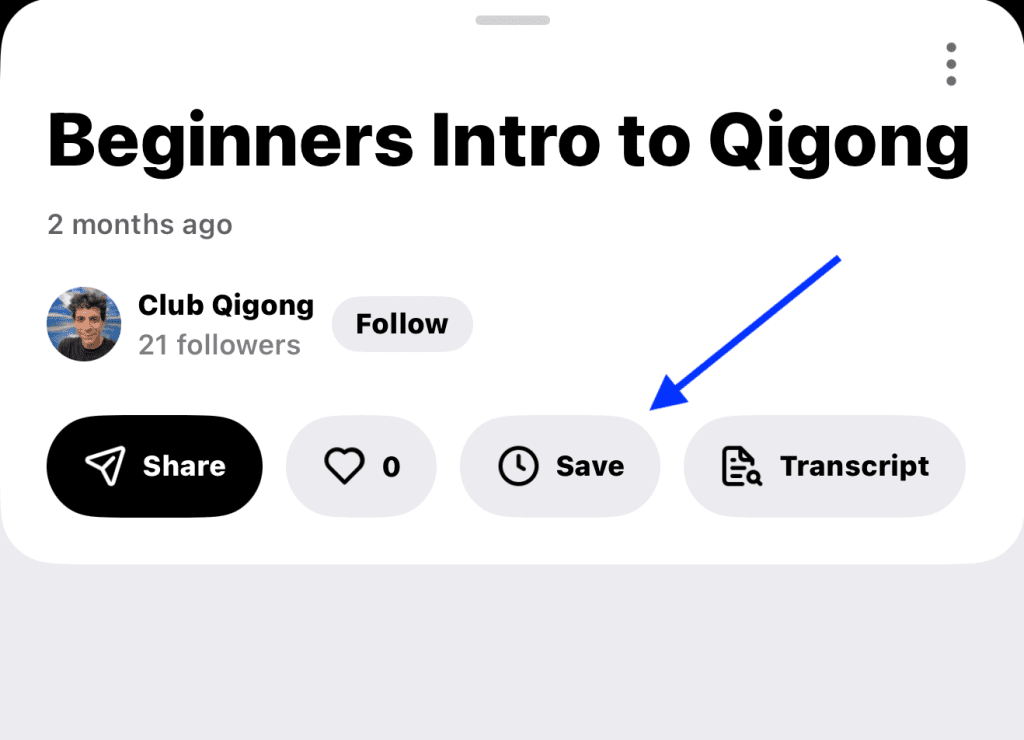
Step 3:
Click the Save Button (on Mac/PC it’s the Share icon).
Then either Save to Your Camera Roll or you can download to watch offline in the Vimeo App.
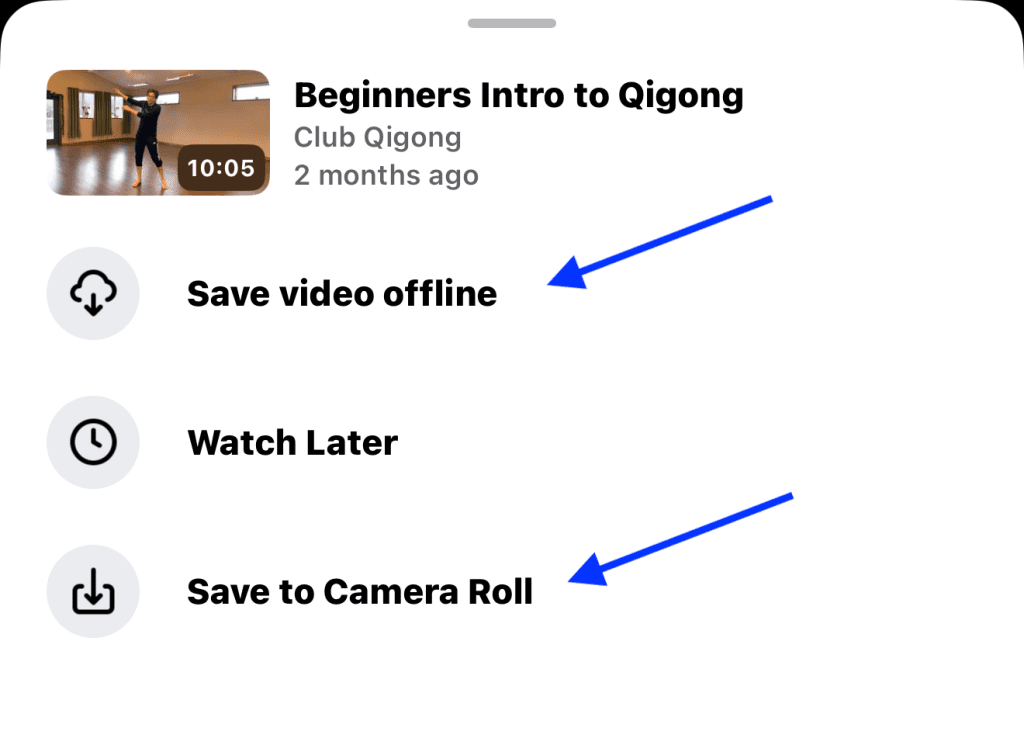
* They will either be downloaded to your camera’s roll or, if you selected to save Offline, your access them in the Vimeo App by tapping your profile in upper right → go to Offline.
To Download sound files
On computer: simply click the arrow on the right.
On the Phone App: *Long Press* on the Arrow on the right: A menu should appear with an option to Share, you can then Airdrop it or “Open in Chrome” where you will see an option to download to your device
🙌 ACCESS DOWNLOADED FILES:
iPhone
Files downloaded are saved in the Files app under the ‘Downloads’ folder.
To access these files, open the Files app, go to ‘Browse’, and then tap on ‘Downloads’. You might need to check ‘On My iPhone’ or ‘iCloud Drive’ depending on where you’ve set your downloads to be saved.
Android
Android devices save files downloaded via a browser like Chrome or Firefox in the “Download” folder.
To access these files, open the “Files” app (or File Manager, My Files, etc.), and navigate to the ‘Download’ folder. This folder is typically accessible from the main directory of the internal storage.
Note: On both platforms, you can change the default download location in the settings of the browser app you are using, which might alter where the files are saved.
⭐️ And you only need to be a member for a month to download any course you like! 🙌 Of course, by remaining a member, you get access to life-changing New Releases – all while making the world a brighter place. 🌅